The BTECH BVM Enterprise Toolkit is software that pulls data from many BTECH battery monitoring systems into one place, so a utility can see the health of batteries across regions, substations and facilities without logging in to each monitor one at a time.
One substation battery is easy to keep an eye on. Dozens or hundreds are not. This guide covers what the Enterprise Toolkit adds on top of BTECH's BVM Software Suite, what is in it and what to gather before you ask about it.
BTECH describes it as enterprise software that extends the BVM Software Suite. It manages multiple BTECH battery systems across regions, facilities, data halls and substations, and is meant to support maintenance and replacement planning. BTECH's spec sheet also lists keeping settings aligned across installations and real-time notifications when key thresholds are met or exceeded.
It works with BTECH monitoring hardware such as the S5. Check with BTECH on which monitor models and software versions a given Toolkit setup supports.
| Module | What it does |
|---|---|
| Critical applications | Predictive analytics, battery data interpretation, real-time access, alarm reporting and centralized monitoring |
| Interactive battery map | Shows overall battery health and lets you view data by location, date and unit number |
| Actionable data | Review and change settings, retrieve data, reset alarms and run online diagnoses |
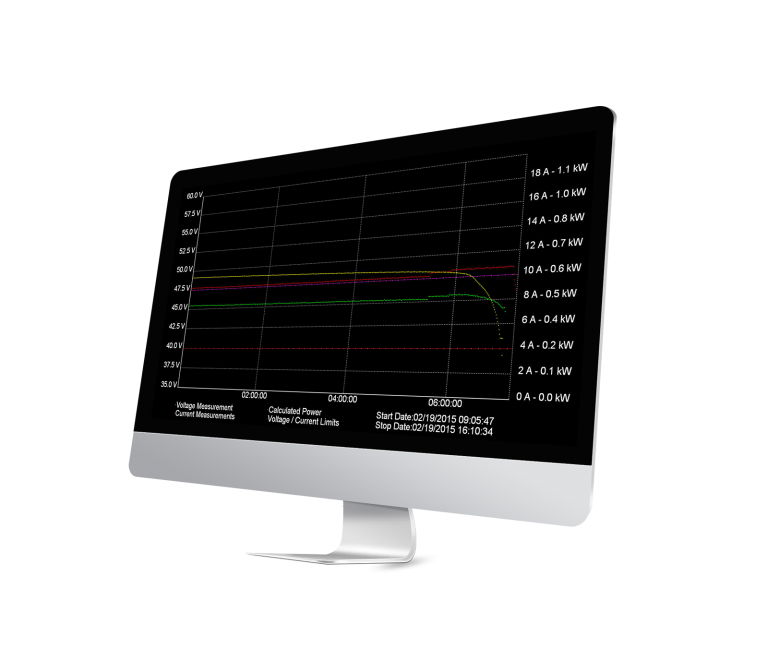
| Trend graphing | Plots voltage and impedance over time |
| BVM Stats | A rolled-up view of system settings and analysis summaries from one or many monitoring systems, with timestamps, drill-down by location name and organization, and a direct link to BVM files from the Stats tool |
| Event viewer | Combines battery health data and discharge events from multiple BTECH monitors into one view. Retrieves new events and alarms automatically in real time, supports user-defined alarm filters, and lets you acknowledge events and open system data from the viewer |
| Report creator | A standalone environment for building and running reports on any or all systems |
BTECH's spec sheet lists these report parameters: system summary, max system risk index, discharge events, NERC maintenance checks, battery system age, alarms summary, power outage alarms and unit analysis summary.
BTECH lists these measured parameters:
A single monitor tells you about one battery. The Enterprise Toolkit is aimed at the next problem: knowing which of your many substation batteries need attention first. A few ways that shows up in practice:
These are uses of the features BTECH lists, not guaranteed results. How much you save depends on your fleet and how you run maintenance.
BTECH software that extends the BVM Software Suite to manage many BTECH battery monitoring systems across regions, facilities and substations.
BVM Software is the base suite for viewing data from BTECH monitors. The Enterprise Toolkit adds the multi-site tools, including the battery map, BVM Stats, the event viewer and the report creator.
System summary, max system risk index, discharge events, NERC maintenance checks, battery system age, alarms summary, power outage alarms and unit analysis summary.
BTECH lists reviewing and changing settings, retrieving data, resetting alarms and running online diagnoses under its actionable data module.
The event viewer supports user-defined alarm filters and lets you acknowledge events and open system data from the viewer.
Neither BTECH's product page nor its spec sheet lists them. Ask BTECH or contact us and we will check for you.
Yes. It plots voltage and impedance over time.
For questions or a quote, contact Powertech Associates and UPSC at info@powertech-upsc.com or (860) 678-8772. Tell us how many sites and batteries you want to manage and which BTECH monitors you use.
